Axiom
Axiom
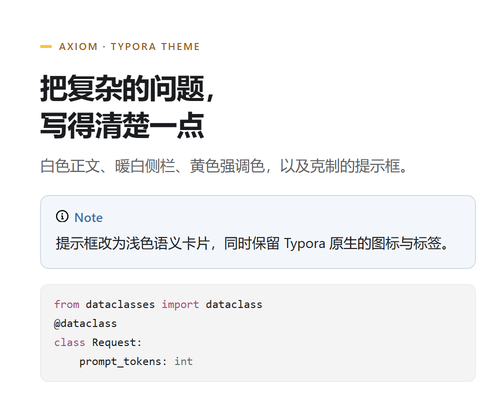
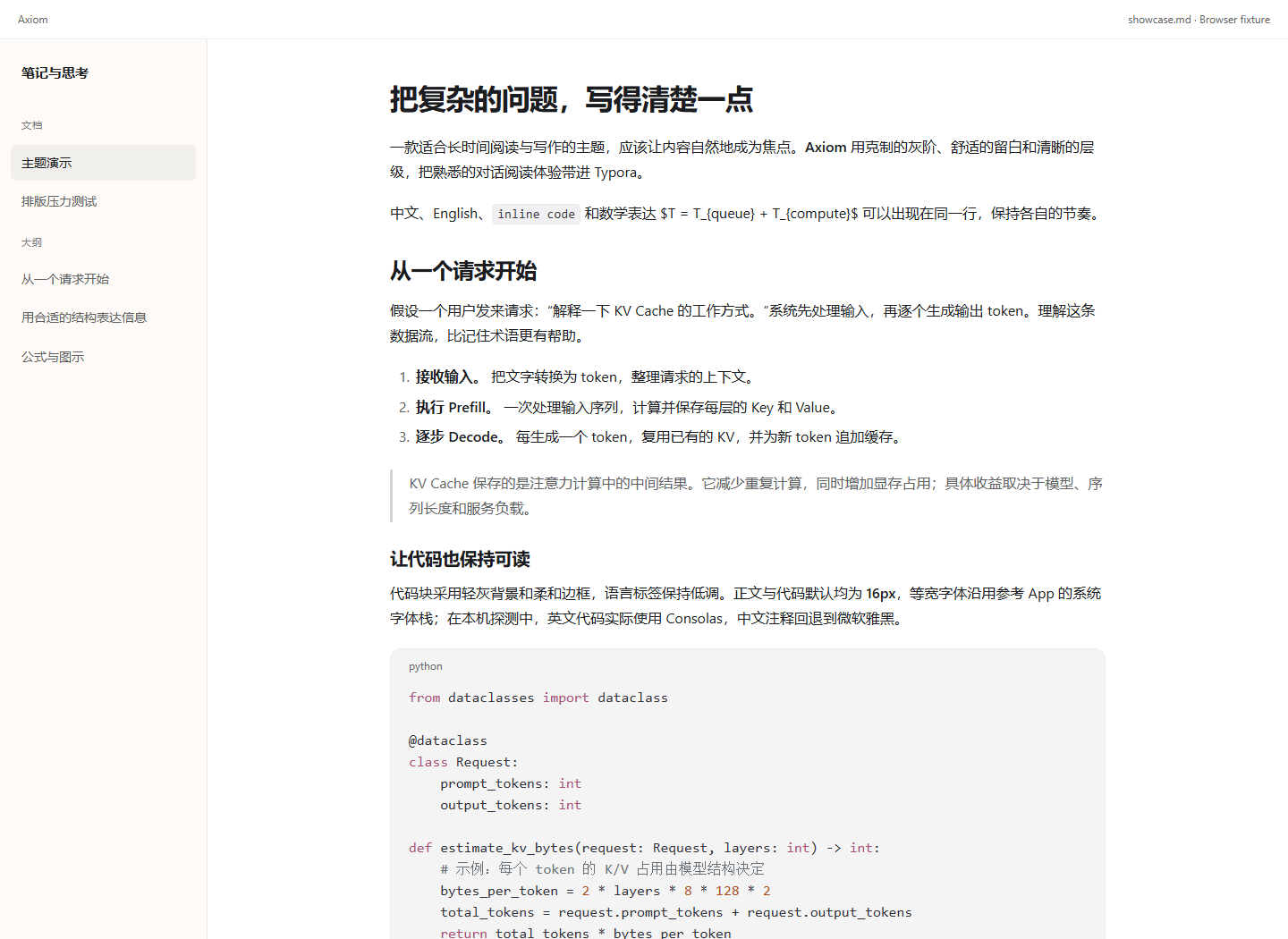
Axiom brings the calm reading rhythm of a ChatGPT conversation into Typora: a white page, a warm sidebar, one yellow accent, and typography that stays out of the way.
Highlights
- A quiet reading surface — 16px body text, 1.75 line height and an 800px measure. Headings, paragraphs and lists keep a clear rhythm without decorative rules.
- Chinese-first typography — system font stacks resolved for Segoe UI / Microsoft YaHei / Consolas on Windows, with a comfortable CJK + Latin mixed setting.
- Semantic callouts — Note / Tip / Important / Warning / Caution are pale cards with a hairline semantic border. Typora’s native icon and label stay intact, and every label/surface pair is above 4.5:1 contrast.
- Muted code — a low-saturation syntax palette, a reserved language label, a neutral surface and local scrolling for long lines.
- Full app coverage — sidebar, file tree, outline, search, dialogs, source mode, focus mode and print / PDF styles.
- One offline file — no web fonts, scripts, remote assets or plugins. Optional overrides live in
axiom.user.css.
Compatibility
Designed and tested on Windows Typora 1.9.5. macOS and Linux have not been verified yet; the stylesheet uses public Typora selectors and standard system fonts. Feedback and screenshots from other platforms are welcome.
Installation
- Download
axiom.cssfrom Releases. - Open Preferences → Appearance → Open Theme Folder.
- Copy
axiom.cssinto that folder. - Restart Typora and choose Axiom in the Themes menu.
Status
Axiom is an independent project, not affiliated with OpenAI or Typora. It is in active development (0.2.7 preview); native editing and export checks are ongoing. MIT licensed.