Blue Topaz
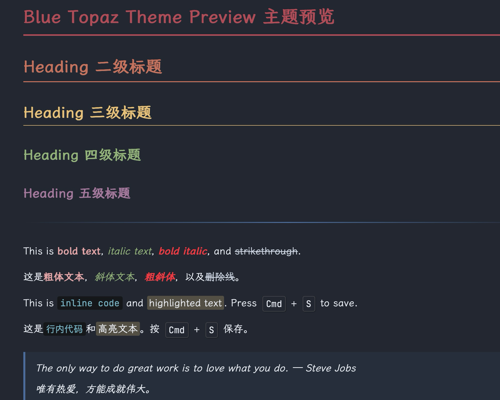
A dark theme for Typora based on Nord color palette, migrated and extended from the Blue-Topaz Obsidian theme.
Designed and tested on macOS. Not fully tested, but should work for Windows/Linux.
Features
- Nord-based dark color palette with Aurora accent colors
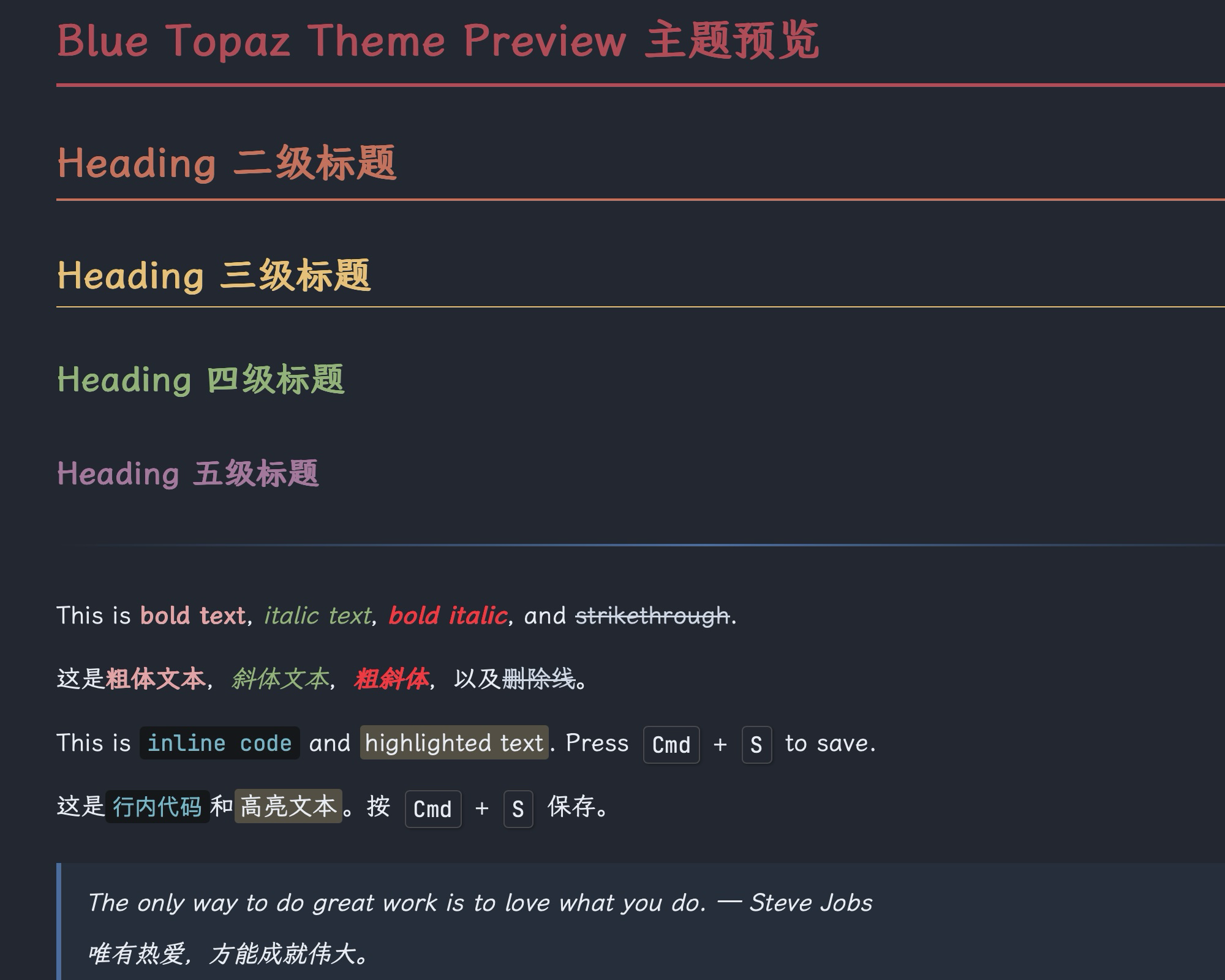
- Colored headings (H1–H5 with distinct colors: red → orange → yellow → green → purple)
- Material Palenight code syntax highlighting
- SVG custom checkboxes (Obsidian-style)
- Zebra-striped tables with blue hover overlay
- Fluorescent yellow highlighter for
<mark> - Keyboard shortcut
<kbd>styling - CJK optimized with LXGW WenKai font support
- Font ligatures enabled
Screenshots
Installation
- Download the theme files.
- Open Typora → Preferences → Appearance → Open Theme Folder.
- Copy
blue-topaz.cssinto the theme folder. - Restart Typora, then select Blue Topaz from the Themes menu.
Credits
- Color palette: Nord
- Original inspiration: Blue-Topaz Obsidian Theme
- Checkbox approach: Drake Theme