
Alvinegro
Alvinegro
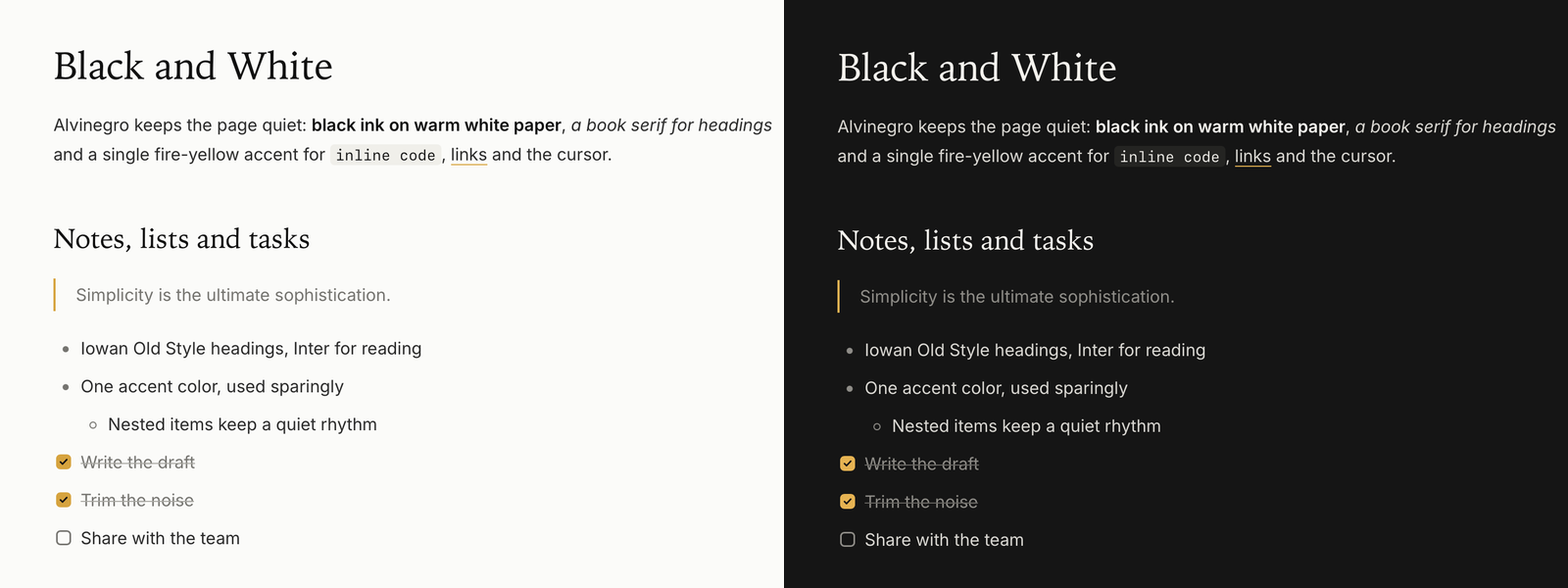
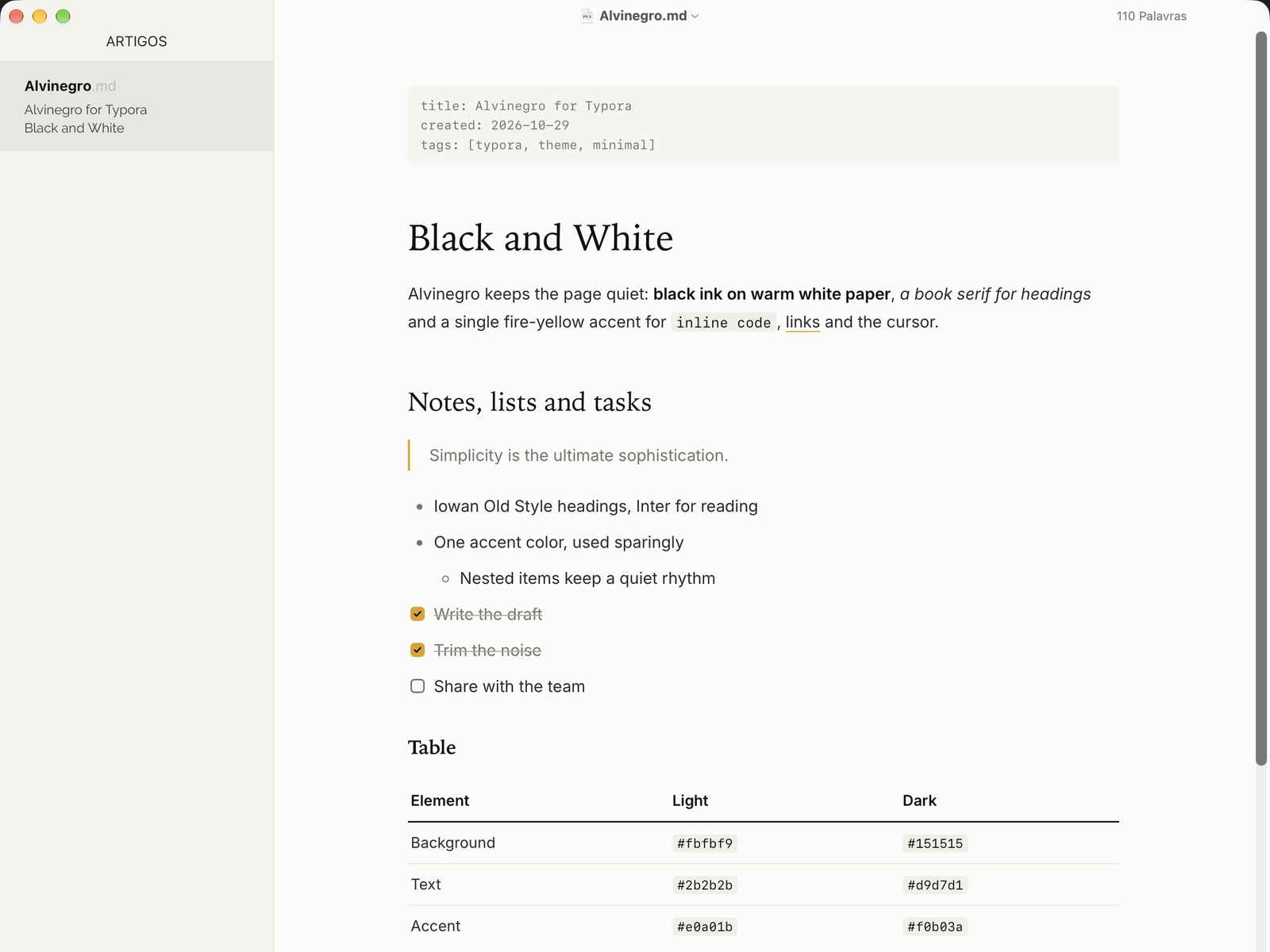
An elegant, minimalist theme in a light and a dark version. Alvinegro is Portuguese for “black and white”: warm white paper or charcoal, black or ivory ink, and a single fire-yellow accent. The dark version is called Alvinegro Noite (noite means “night”).
Highlights
- Two versions: Alvinegro (light) and Alvinegro Noite (dark), each in a single file.
- Book-like headings in Iowan Old Style over Inter body text, with generous line spacing.
- One accent color: fire yellow, used only for the cursor, selection, links, blockquote bars, checked tasks and the active file.
- Quiet details: labels for H4 to H6 in small spaced capitals, soft code blocks and clean tables.
- Print-friendly: Alvinegro Noite switches back to the light colors when printing or exporting to PDF.
Installation
- Download the theme and unzip it.
- In Typora, open Preferences → Appearance → Open Theme Folder.
- Copy
alvinegro.cssand/oralvinegro-noite.cssinto that folder. - Restart Typora and choose Themes → Alvinegro or Themes → Alvinegro Noite.
Notes
Designed and tested on macOS (Typora 1.14). Not fully tested, but should work on Windows and Linux. This theme does not include styles for the Windows “unibody” window style.
Fonts: Iowan Old Style for headings (falls back to Charter or Georgia), Inter for body text (falls back to the system font) and SF Mono for code.