ByteDocs
ByteDocs Theme for Typora
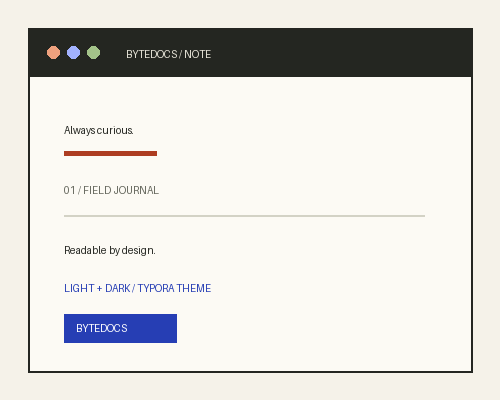
ByteDocs is a minimal, editorial Typora theme inspired by my personal software and cloud field journal at bytedocs.vercel.app.
It keeps the visual language deliberately quiet: a warm paper canvas, ink-like text, measured reading width, restrained rules, and small technical labels. The accent colors are used as wayfinding rather than decoration.
Features
- Light and dark themes —
bytedocs.cssandbytedocs-dark.cssshare the same layout and typography. - Reading-first typography — a generous serif body, short line measure, clear hierarchy, and comfortable line spacing. The theme uses Newsreader when available, with readable system fallbacks.
- Technical interface layer — navigation, metadata, code, and the sidebar use a neutral system sans and monospace stack.
- Editorial details — fine rules, quiet blockquotes, clear heading hierarchy, square controls, and low-noise tables.
- Code-friendly — readable, high-contrast syntax treatment with a dark code surface in dark mode and a warm paper code surface in light mode.
- Long-document navigation — Typora’s built-in Outline is styled for readable hierarchy; use View → Outline. An inline table of contents is available with
[TOC]. - Cross-platform CSS — no external assets or network fonts are required; it should work on Windows, macOS, and Linux.
The type hierarchy follows the same goals as the RFC style guidance: make long-form documents readable, clear, consistent, and easy to scan without changing the meaning of the text.
Installation
- Download the theme files from the repository.
- Open Typora’s Preferences → Appearance → Open Theme Folder.
- Copy
bytedocs.cssandbytedocs-dark.cssinto the theme folder. - Restart Typora and select ByteDocs or ByteDocs Dark from the Themes menu.
Platform note
Designed and tested in the Typora HTML preview toolkit on Windows. The CSS uses standard WebKit/Chromium properties and should work on macOS and Linux. The Windows “unibody” frame and platform-specific native controls are not customized.
License
The theme files are provided under the GPL-3.0 license used by the Typora theme gallery repository.