
Claude-like
Claude-like
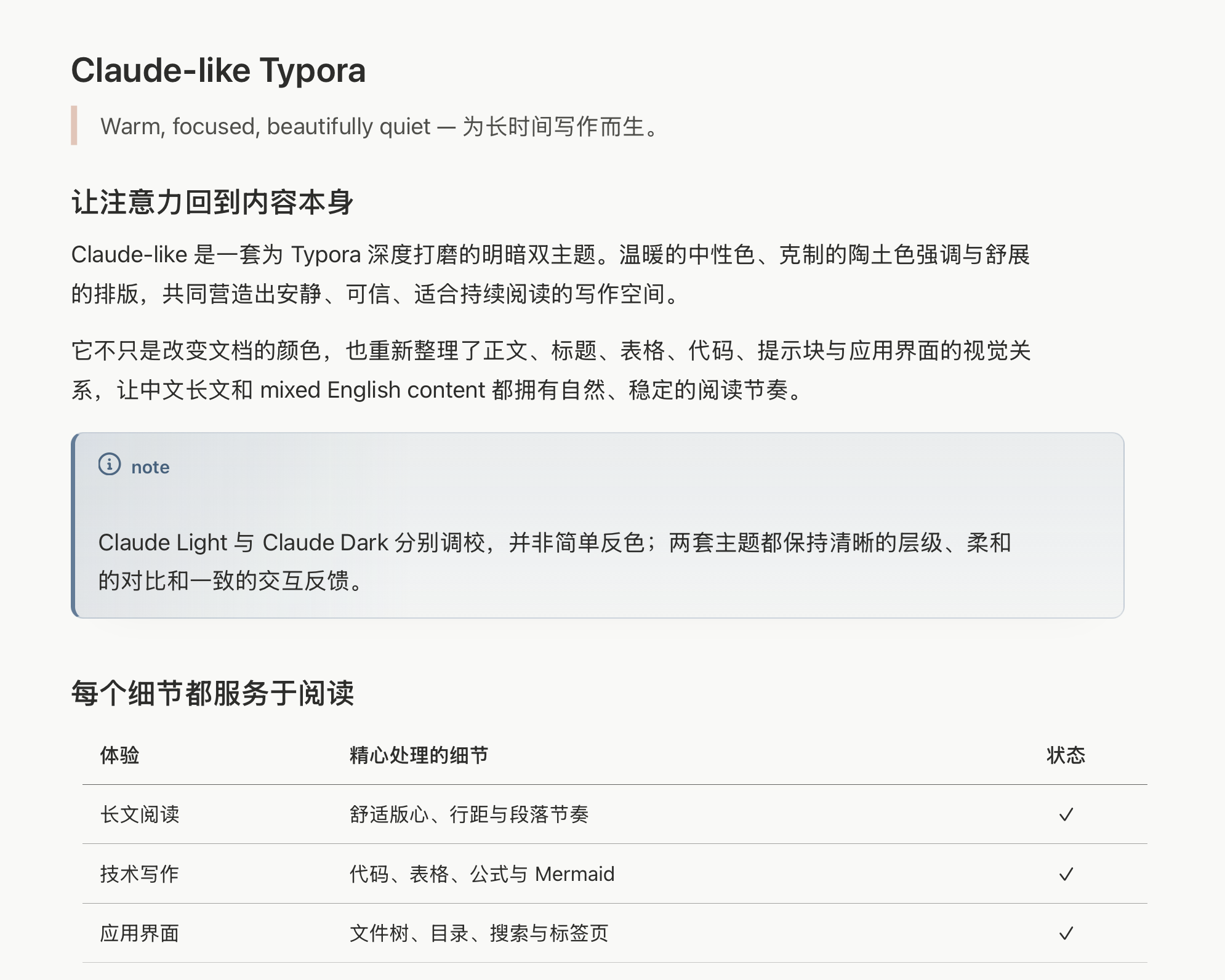
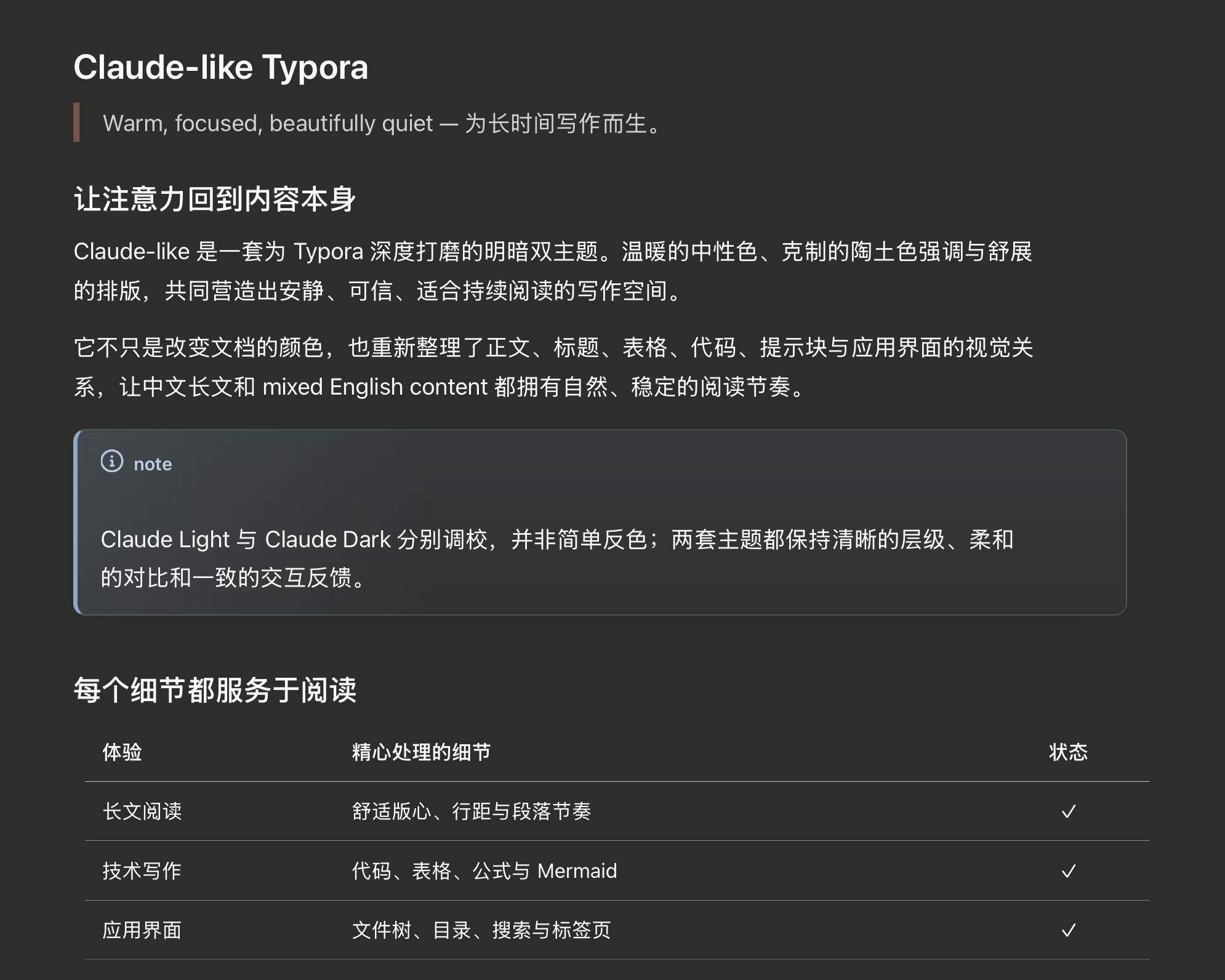
Claude-like brings the calm, warm visual character associated with Claude to Typora while treating the editor as a complete writing environment rather than styling only the document canvas. Its light and dark variants are tuned independently for comfortable contrast, coherent hierarchy, and long-form reading in English, Chinese, and mixed-language documents.
The theme is self-contained: it uses system-font stacks, loads no remote assets, and requires only two CSS files.
Light Theme
Dark Theme
Highlights
- Two purpose-built palettes: warm paper-like light mode and low-glare charcoal dark mode, with separately balanced text, borders, surfaces, and syntax colors.
- Bilingual reading comfort: system-native font stacks, measured content width, and relaxed line height for English, Chinese, and mixed CJK/Latin writing.
- Complete Markdown language: carefully styled headings, emphasis, links, lists, task lists, blockquotes, tables, images, footnotes, table of contents, YAML front matter, and all five GitHub-style alert types.
- Focused technical writing: cohesive fenced code, inline code, CodeMirror source mode, syntax highlighting, Mermaid diagrams, and math blocks.
- Typora-wide polish: matching file tree, outline, search, tabs, sidebar controls, title bar, focus mode, typewriter mode, and integrated-window details.
- Responsive and export-aware: compact-screen breakpoints, reduced-motion handling, and print/PDF rules keep documents usable beyond the desktop editor.
- Private and offline-friendly: no bundled third-party fonts, analytics, scripts, or network requests.
Installation
- Download and extract the v1.0.0 release package.
- In Typora, open Settings → Appearance → Open Theme Folder.
- Copy
claude-light.cssandclaude-dark.cssinto the theme folder. - Restart Typora.
- Select Claude Light or Claude Dark from the Themes menu.
Detailed English and Chinese documentation, customization recipes, release notes, and the full preview document are available in the GitHub repository.
Platform Notes
The theme was designed and visually verified on macOS with the current desktop version of Typora. It includes explicit macOS integrated-window styling, Windows unibody selectors, system-font fallbacks, and responsive layouts. Windows and Linux have not yet received the same full regression pass, so reports and screenshots from those platforms are welcome.
Claude-like is an independent, unofficial community theme. It is not affiliated with, endorsed by, or sponsored by Anthropic, PBC. Claude is a trademark of Anthropic, PBC.