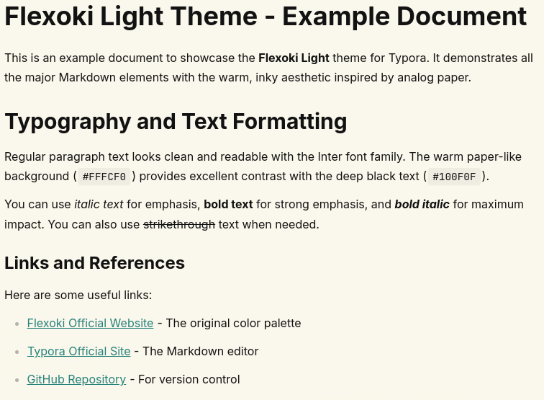
Flexoki Light
Flexoki Light
An inky, warm color theme for Typora based on the Flexoki color palette.
Flexoki is inspired by analog inks and warm shades of paper, designed for reading and writing on digital screens. This theme brings that same warmth and readability to your Markdown editing experience in Typora.
Features
- Warm, paper-like aesthetics - Inspired by analog ink on paper (
#FFFCF0background) - Minimalist design - Clean and distraction-free writing environment
- Complete syntax highlighting - Following official Flexoki guidelines
- Modern typography - Uses Inter font for excellent readability
- Monospace code - JetBrainsMono Nerd Font for code blocks
- High contrast - Optimized for legibility
- Cyan accents - Consistent
#24837Baccent color throughout - Custom task list checkboxes - Black border when unchecked, cyan with white checkmark when checked
Installation
- Download
flexoki-light.cssfrom the link above - Open Typora → Preferences → Appearance → Open Theme Folder
- Copy the CSS file to the themes folder
- Restart Typora
- Select Flexoki Light from Themes menu
Recommended Fonts
For the best experience, install these fonts:
- Inter - Body font
- JetBrainsMono Nerd Font - Code font
The theme will work without these fonts, falling back to system defaults.
Color Palette
Based on the official Flexoki Light palette:
- Background:
#FFFCF0(paper) - Warm, off-white - Text:
#100F0F(black) - Deep, rich black - Headings:
#100F0F(black) - Strong hierarchy - Links:
#24837B(cyan-600) - Always underlined - Blockquotes:
#24837B(cyan) border - Code: Full Flexoki syntax highlighting palette
Syntax Highlighting
Following official Flexoki guidelines:
- Keywords → Green (
#66800B) - Strings → Cyan (
#24837B) - Functions → Orange (
#BC5215) - Numbers → Purple (
#5E409D) - Comments → Gray (
#B7B5AC, italic) - Variables → Blue (
#205EA6) - Constants → Yellow (
#AD8301)
Design Philosophy
- Black headings for maximum readability
- Cyan accent color for consistency
- Light gray list markers for subtle appearance
- Minimal spacing on blockquotes
- Clean tables without background colors
- Always-underlined links for accessibility
Compatibility
Designed and tested on Linux. Should work on macOS and Windows. This theme uses standard CSS and does not include platform-specific styles.
Credits
- Flexoki Color Palette: Created by Steph Ango
- Theme Author: Guido Vicino
- License: MIT