GitLab Dark
GitLab Dark
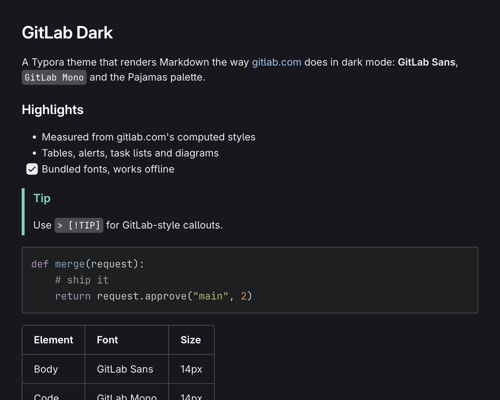
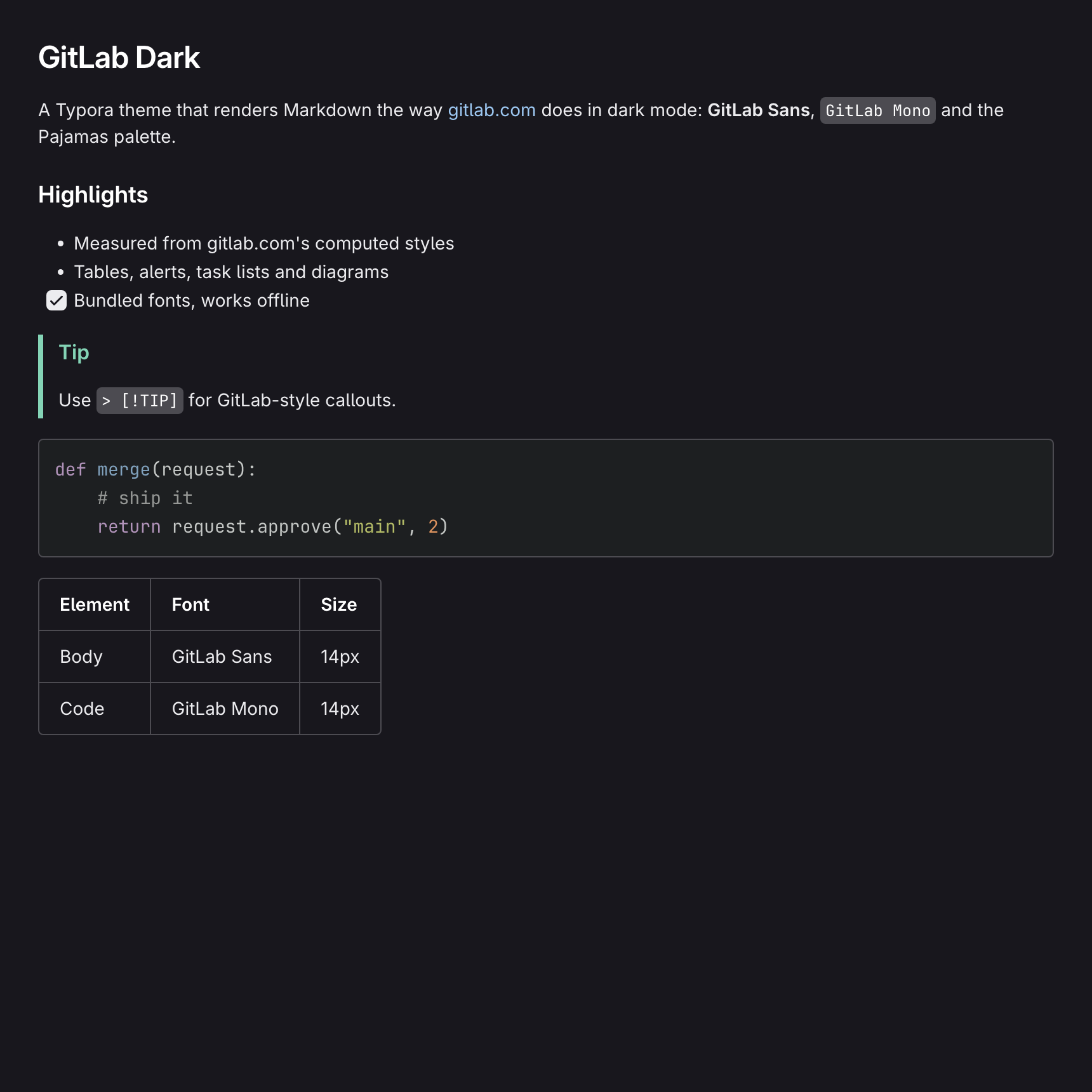
A dark theme that renders Markdown the way gitlab.com does in its dark UI mode. Typography, spacing, colors, and the styling of tables, alerts and block quotes were measured from the computed styles of rendered Markdown on gitlab.com.
Features
- GitLab typography: GitLab Sans for text and GitLab Mono for code, at gitlab.com’s 14px base size and heading scale. The fonts are bundled, so the theme works offline.
- Pajamas dark palette: the background, text, border and link colors from GitLab’s design system.
- Code: inline code chips, fenced code blocks with Tomorrow Night syntax colors, and a dark source mode.
- Tables: an inner grid inside a rounded outer frame, with a semibold header row.
- Alerts:
> [!NOTE],[!TIP],[!IMPORTANT],[!WARNING]and[!CAUTION]use GitLab’s colors. - Task lists, footnotes, math and Mermaid diagrams are all styled to match.
- App interface: sidebar, file tree, outline, menus, dialogs and scrollbars use the same palette.
Installation
- Download and extract the repository archive.
- In Typora, open Preferences → Appearance → Open Theme Folder.
- Copy
gitlab-dark.cssand thegitlab-dark/folder into the theme folder. - Restart Typora and choose Gitlab Dark from the Themes menu.
Designed and tested with Typora 1.14 on macOS. The theme includes styles for the Windows/Linux title bar and menu, but those have not been tested.
The bundled GitLab Sans and GitLab Mono fonts come from GitLab’s @gitlab/fonts package and are licensed under the SIL Open Font License 1.1. This is an unofficial theme, not affiliated with GitLab Inc.