Graphite Void
Graphite Void
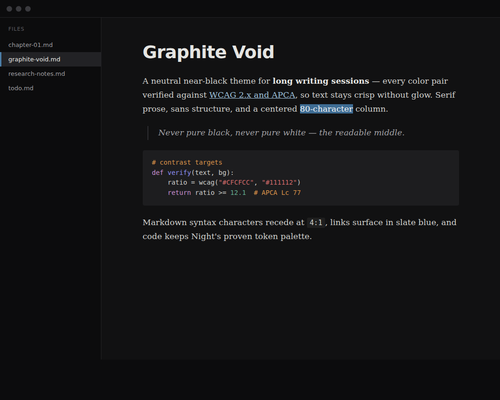
A neutral near-black theme (#111112) tuned for long editing sessions on high-contrast displays. Every foreground/background pair is verified against both WCAG 2.x and APCA — bright enough to read fluently, never bright enough to glow.
Features
- Near-black, never pure black:
#111112(L*≈5) avoids the halation and mini-LED blooming that pure#000causes, while staying darker than typical dark modes. - Halation-safe text: dimmed gray
#CFCFCCat 12.1:1 / APCA Lc 77 — the fluent-reading band, below the glow zone. - Centered readable column: 40–42 rem ≈ 75–85 characters per line instead of full-window lines.
- Serif prose · sans structure · mono code: Charter body, SF Pro headings, JetBrains Mono fences — all with graceful fallbacks (all-sans fallback is one section-delete away).
- Built on Night’s skeleton: uses Typora’s built-in dark code-block and source-mode styles, so nothing extra is required.
Installation
- Download and unzip this theme.
- Open Typora Settings/Preferences → Appearance → Open Theme Folder.
- Copy
graphite-void.cssinto the theme folder. - Restart Typora and select Graphite Void from the Themes menu.
Fonts are macOS-first; on Windows/Linux the theme falls back to your system serif/sans — colors and layout are unaffected.