
Italian N. B
Italian N. B
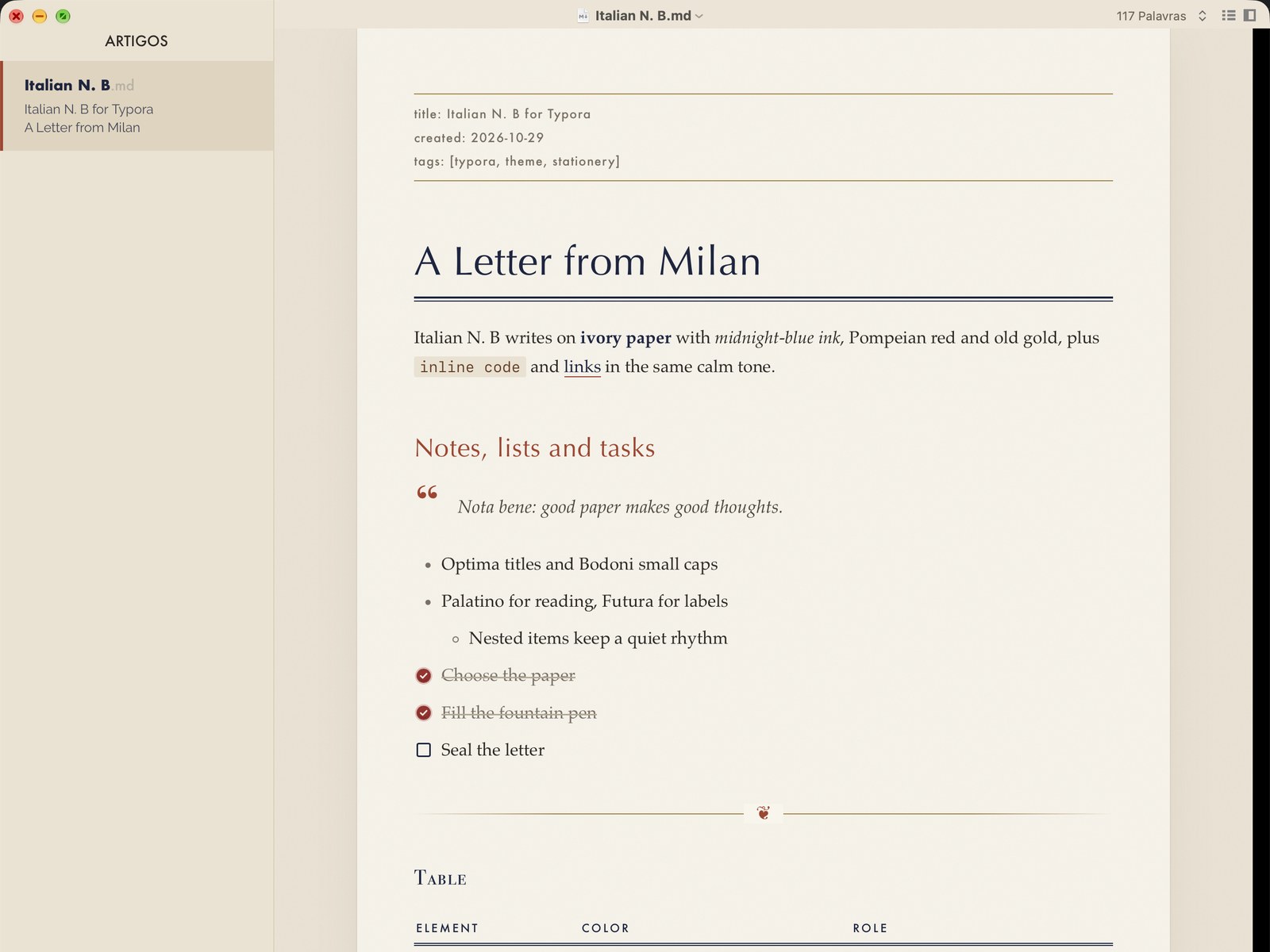
Vintage Italian stationery with a modern layout: ivory paper with a light grain, midnight-blue ink, Pompeian red and old gold.
Highlights
- Ivory paper with a light grain, resting on a desk-colored background.
- Classic Italian type: Optima titles, Bodoni small caps, Palatino for reading and Futura for labels.
- Front matter as a label in Futura, between two old-gold rules.
- Stationery details: a double rule under the title, a fleuron on horizontal rules, a ledger margin for code blocks and checked tasks drawn as wax seals.
- Print-friendly: printing and PDF export drop the desk background.
Installation
- Download the theme and unzip it.
- In Typora, open Preferences → Appearance → Open Theme Folder.
- Copy
italian-n.-b.cssinto that folder (Typora needs this exact file name to show and load “Italian N. B”). - Restart Typora and choose Themes → Italian N. B.
Notes
Designed and tested on macOS (Typora 1.14). Not fully tested, but should work on Windows and Linux. This theme does not include styles for the Windows “unibody” window style.
Fonts: Optima, Bodoni 72, Palatino and Futura, all included with macOS.