Rizo
Rizo
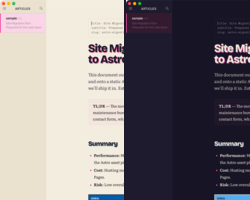
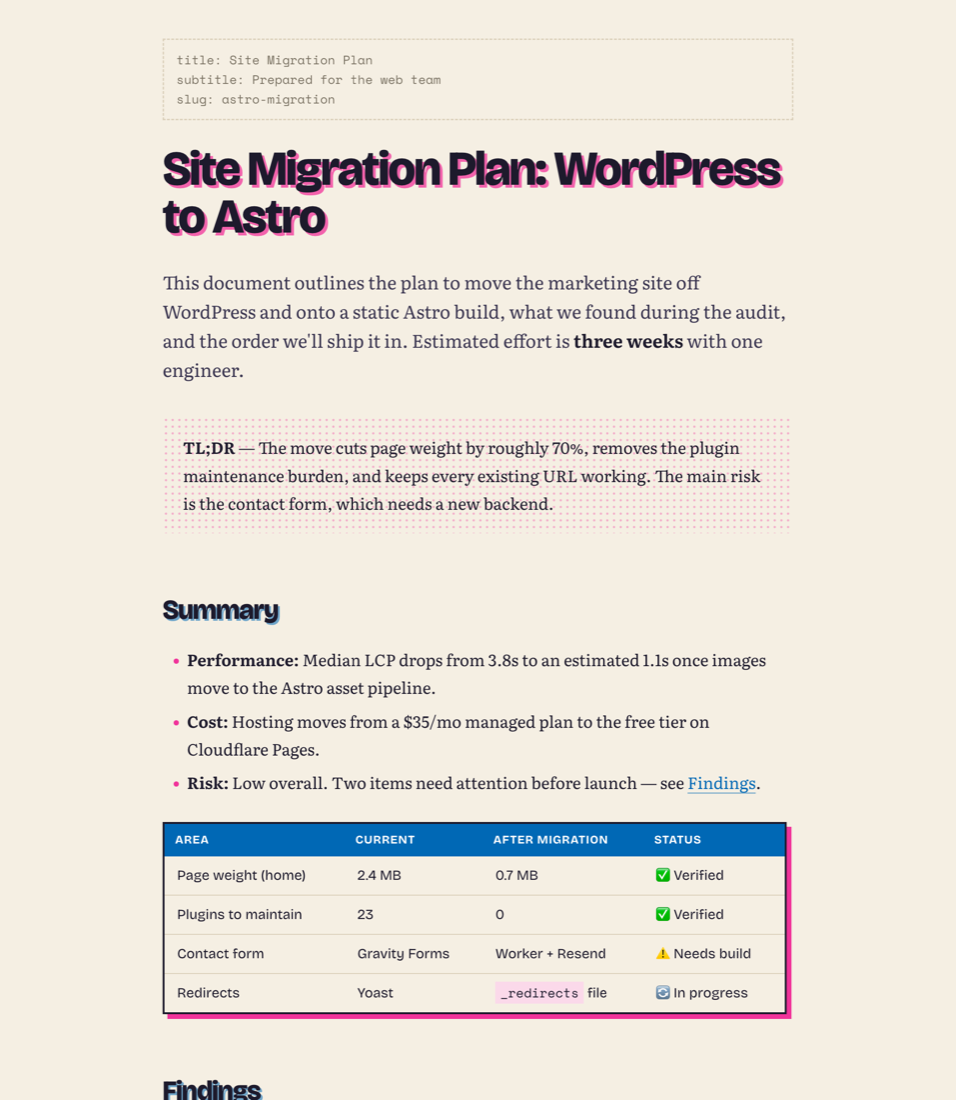
A two-ink risograph theme for Typora, in Fluorescent Pink + Blue. Heavy grotesque headings printed slightly off-register, a bookish serif for reading, halftone quotes, and inked tables and code blocks with offset second-ink shadows. Made to turn long AI-generated reports into something you actually want to read.
Features
- Two themes: Rizo (cream paper) and Rizo Dark (midnight paper)
- Off-register headings in Bricolage Grotesque, Literata body text, Space Mono code
- Inked tables and code blocks with offset shadows and language chips
- Halftone blockquotes and GitHub-style alerts (
> [!NOTE],TIP,IMPORTANT,WARNING,CAUTION) - YAML front matter, task lists, footnotes, highlights and
<kbd>all styled - Sidebar, outline, search, quick open, focus mode and source mode follow the inks
- Full-bleed PDF export: cream paper from Rizo, midnight from Rizo Dark, edge to edge. Typora colours PDF margins with the theme’s background, so the page matches it instead of sitting white inside a coloured frame
- Fonts bundled, works offline (SIL Open Font License)
Installation
Requires Typora 1.8 or later.
- Download
rizo.zipand unzip it. - In Typora: Settings › Appearance › Open Theme Folder.
- Copy
rizo.css,rizo-dark.cssand therizo/folder into it. - Restart Typora and choose Themes › Rizo or Themes › Rizo Dark.