
Sylvan
Sylvan
Sylvan is a Typora theme in the style of modern technical publications — the precision of technical documentation with the reading comfort of a printed page. It ships as a single pure-CSS file with no bundled fonts or assets, using native system font stacks on each platform.
Highlights
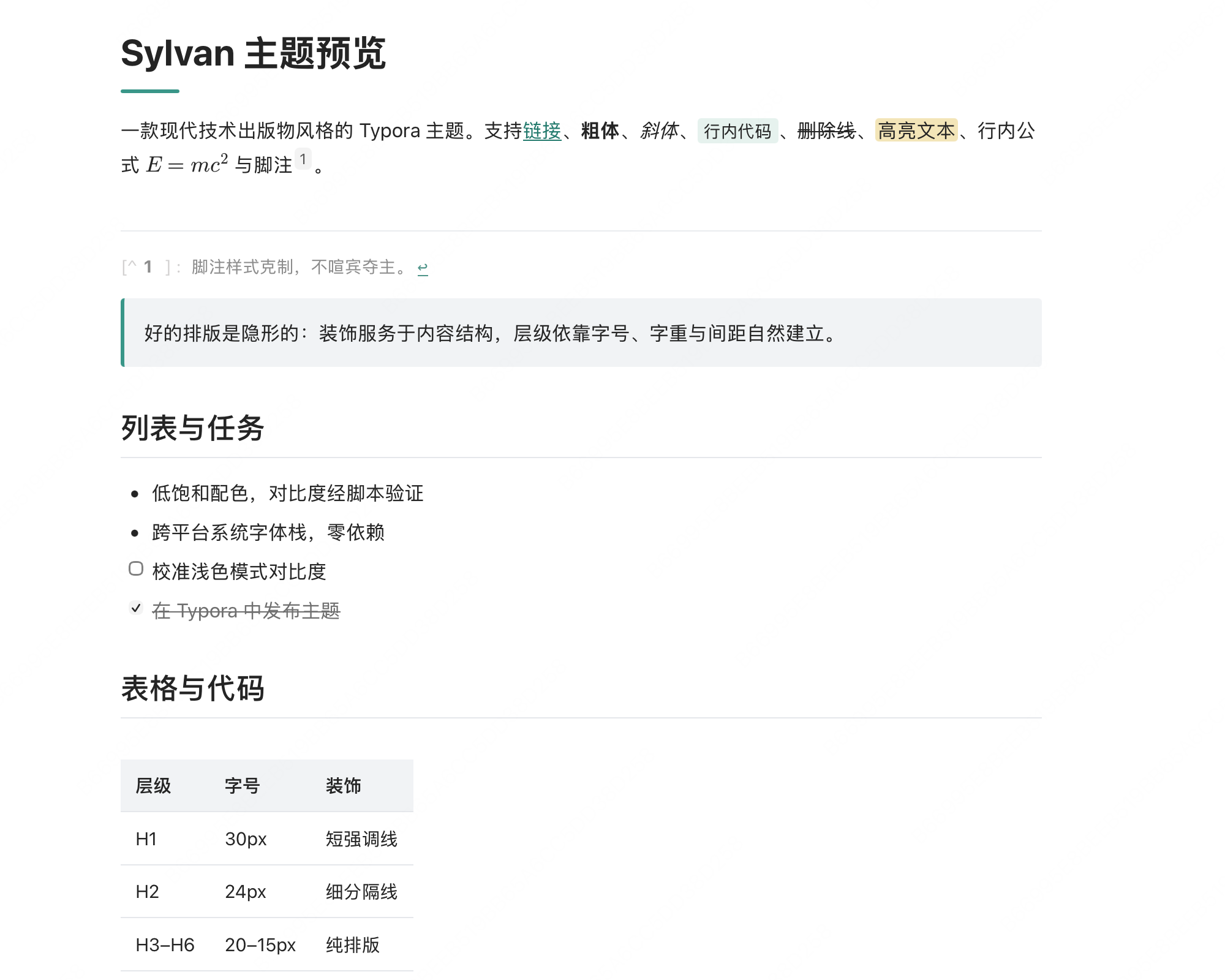
- Reading-first typography — 16px body text, 1.75 line height, 800px measure. Hierarchy is built with size, weight and spacing, not decoration.
- Heading system — H1 carries a short rounded accent line, H2 a subtle gray divider, H3–H6 stay purely typographic.
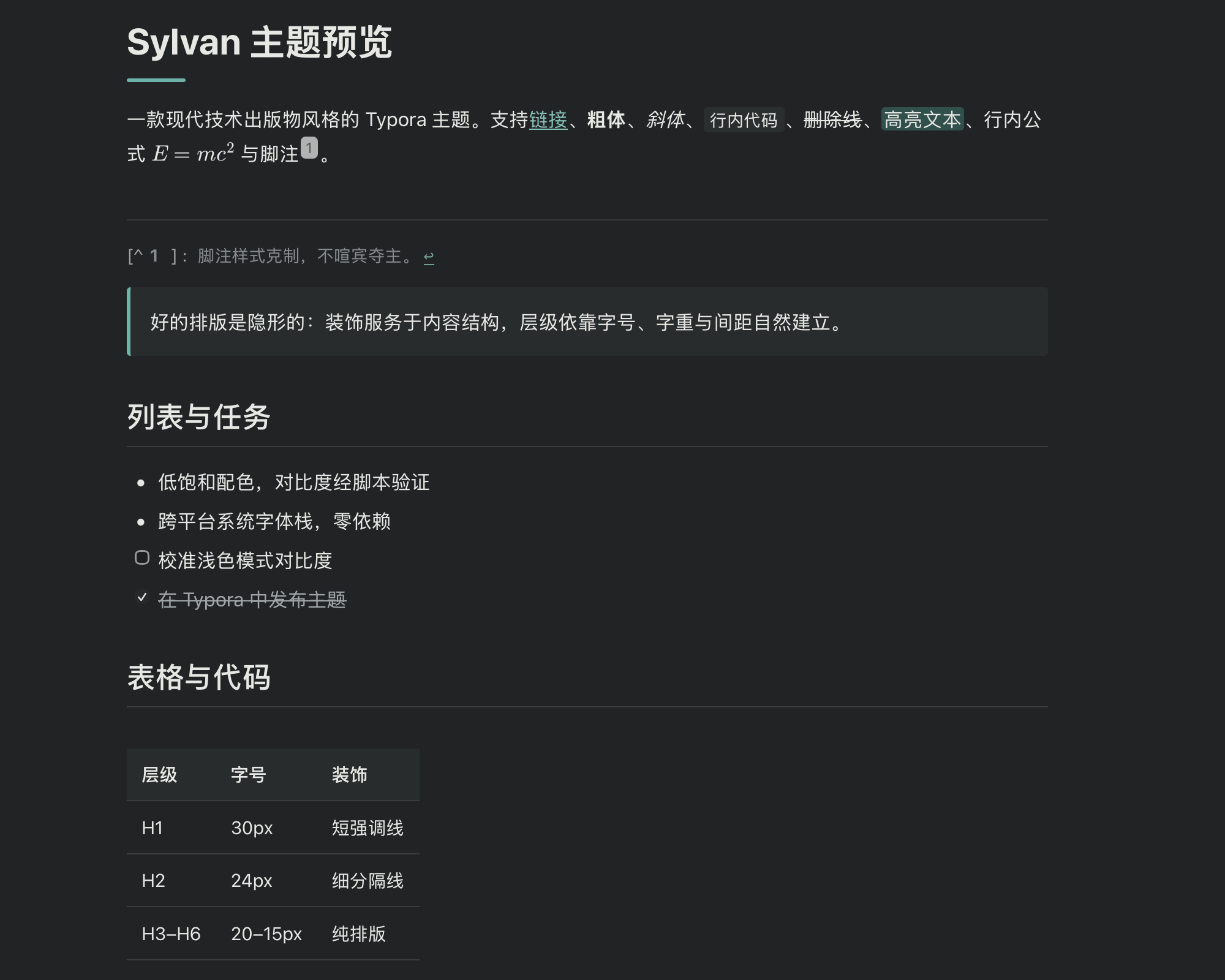
- Light & dark modes — dark mode is an independently calibrated semantic mapping (not an inversion), following your OS appearance via
prefers-color-scheme. - WCAG-verified contrast — every text/background pair is checked programmatically (≥ 4.5:1 for body text, ≥ 3:1 for large text).
- Language-labelled code blocks — the language appears above each fenced code block; blocks taller than ~24 lines are height-limited with inner scrolling while the label stays pinned, and scrolling past the edge no longer drags the whole document; low-saturation syntax highlighting that stays quiet in both modes; print / PDF export always shows the full block.
- CJK-friendly typography — tuned font stacks for Chinese and Western text, with footnotes, task lists, tables, KaTeX math and Mermaid diagrams fully styled.
- Full-range styling — print/export, scrollbars, blockquotes, and Typora’s CodeMirror editing view are all themed.
Screenshots
Light mode
Dark mode
Installation
- Download and extract Sylvan.
- In Typora, open Preferences → Appearance → Open Theme Folder.
- Copy
sylvan.cssinto the theme folder. - Restart Typora and select Sylvan from the Themes menu.
Designed and tested on macOS. Should also work on Windows and Linux, but not fully tested there — feedback is welcome.
License
Sylvan is distributed under the MIT License.